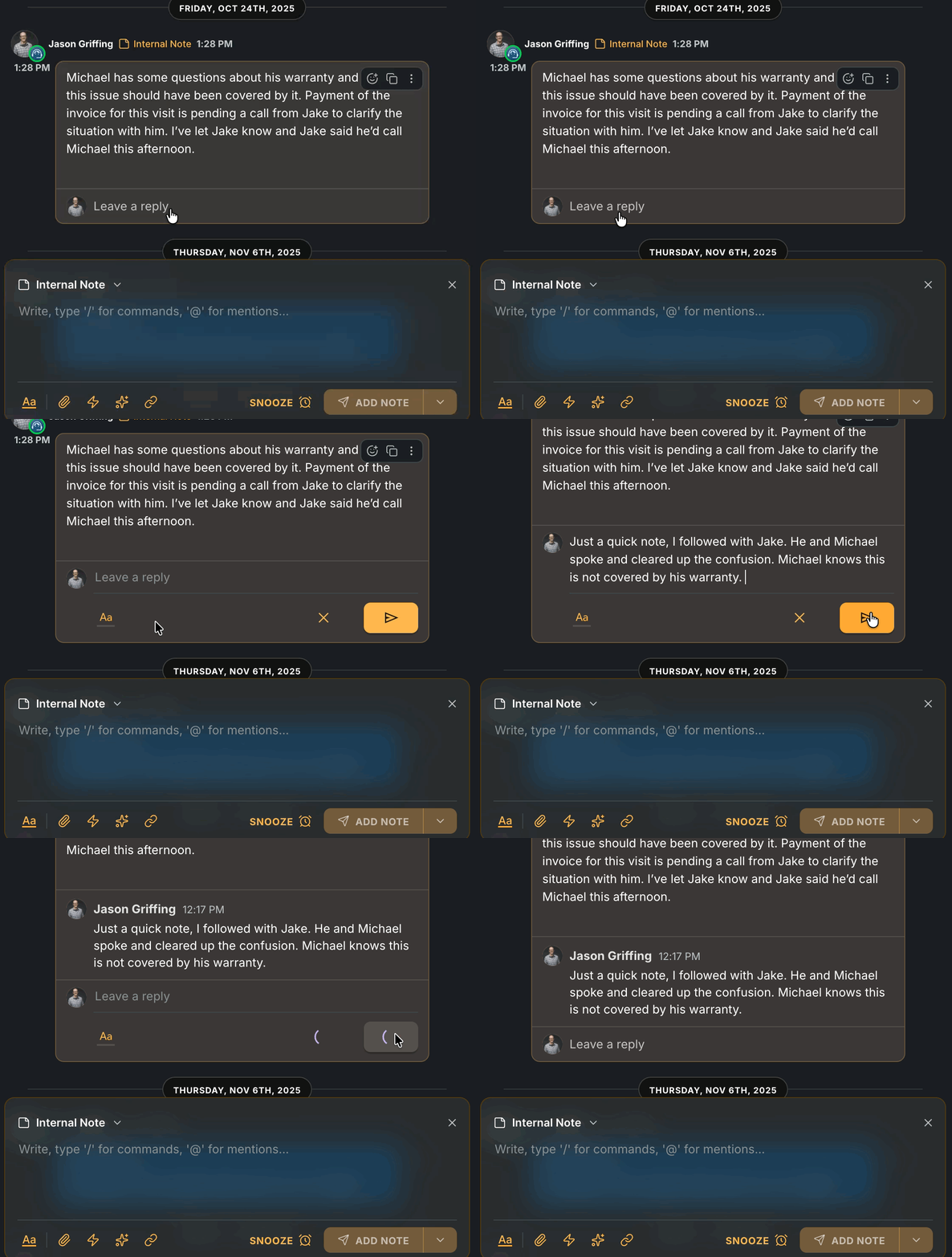
1. Link to Any Message and Filter Custom Properties Through the API

    An internal note's menu open on Copy link to message

    New

    5
    • Copy a link to any message from its menu. Opening the link jumps straight to that message, however far back it is, and highlights it until you start reading.

    • Turn on Include archived projects to preview and import archived D-Tools Cloud projects alongside active ones.

    • Switch partners from Quick actions without opening the app menu.

    • Reply to internal-note threads through the Public API, with thread checks and reply notifications.

    • Filter sites, clients and conversations by custom property values through the Public API, including date comparisons and checks for whether a value is set.

    Improved

    6
    • Mention and thread-reply notifications open right at the message they point to, from Inbox, email, Slack and push.

    • Inbox notifications show the conversation's subject instead of its number twice.

    • Recurring-issue notices are more compact, with older occurrences behind a keyboard-friendly Show N other times toggle.

    • A call recording's transcript now expands downward, keeping the recording's header in view.

    • Settings > Billing is split into Invoices and Stripe account tabs, and shared links keep the tab you were on.

    • D-Tools contacts that share an email import into the right existing client, without renaming or duplicating records.

    Fixed

    4
    • The side panel shows the assignee above their group, so both stay visible.

    • Direct links to All conversations open there instead of redirecting to the Sites tab on the Views page.

    • Recurring Signal schedules keep the right local time after you edit Only this event across a daylight saving change.

    • Escalations held outside business hours arrive at your local opening time across daylight saving changes.

  2. Jump Anywhere With Quick Actions and Spot Recurring Issues

    Quick actions palette searching "mem", showing membership actions, the Member Services view and Memberships settings

    New

    2
    • You can reach workspace pages, saved views and settings directly from Quick actions as you type.

    • Recurring-issue notices in conversation summaries show prior related conversations, when the issue was last fixed, and how it was resolved.

      AI conversation summary of a whole-home Sonos dropout, with a Recurring issue notice linking the earlier ticket from Jul 24

    Improved

    2
    • You can build conditions consistently across Rules, Sidekick policies, Signal schedules and filters with aligned fields, nested-group validation and layouts that fit a phone.

    • Company Name editing is limited to authorized users while other company details remain editable.

    Fixed

    3
    • Site merges succeed when the origin site contains previously deleted client links, while only active links move to the target site.

    • Client imports match by email, keeping different clients at the same address separate without overwriting another client’s details.

    • Every user's permissions stay visible in Settings > Users after you create a user without needing to refresh the page.

  3. Smarter D-Tools import matching

    Improved

    1
    • D-Tools imports recognize existing sites across common street, direction and unit abbreviations, helping prevent duplicate sites.

    Fixed

    1
    • Partner links with uppercase or lowercase slug differences now resolve correctly across availability, branding, landing pages, and Terms and Privacy.

  4. Add Note Threads, Refresh Menus and Restore Mobile Presence

    New

    2
    • You can reply directly to internal notes in tidy, private threads and mark a reply as the Resolution so teammates can quickly catch up on the discussion and see how the problem is solved.

    • You receive targeted notifications when teammates reply to or resolve internal-note threads, with links that open the related discussion.

    Improved

    3
    • Mention and slash-command menus use consistent redesigned styling in light and dark modes.

    • You can read full multi-select values in side panels as long labels wrap instead of being cut off.

    • You see consistent redesigned menus across pickers, forms, filters, participant lists, and site documentation.

    Fixed

    3
    • You can see conversation presence indicators and access presence history again in the mobile view.

    • You can see prior summarized conversations in associated conversation history without including the current conversation.

    • You can access Export on the Subscriptions report at all window sizes and download the CSV for the selected view.

  5. Refresh Settings Forms and Standardize Dropdown Styling

    Improved

    4
    • Settings forms for Rules, Macros, Company Info, Channels, Notifications, Workflows, Memberships, and Blocked Contacts now use consistent redesigned dropdowns and fields, with clearer menus, spacing, and selection states.

    • API documentation reflects current resources and key-creation steps and gives you access to the changelog.

    • Long option labels in selection menus wrap instead of being truncated, making similar values easier to distinguish.

    • Requester search results show client names alongside email addresses so you can identify and select the right requester.

    Fixed

    1
    • You can read forwarded client content and earlier client messages in new “looping in support” conversations directly in the conversation instead of opening View original email.

  6. Consistent action menus

    Improved

    1
    • Updated action and overflow menus across ProVision with consistent styling, spacing, icons, and red destructive actions.

  7. Mobile optimized views + swipe to snooze or solve

    ProVision's mobile views got a round of design work this release. Conversations, Sites, and Clients now use phone-friendly card lists you can sort and tailor with attribute chips, and a swipe on any conversation snoozes or solves it without opening the record. Fewer taps to clear a queue between jobs, which is where most technicians are working.

    Mobile conversation list in ProVision with a card swiped left to reveal Snooze and Reopen actions
    Swipe a conversation card to snooze or solve it without opening the record.
  8. Conversation Message Emoji Reactions

    New

    2
    • You can quickly acknowledge a teammate's internal note or public reply with a team-only emoji reaction instead of writing another note.

    • You can get notified when a teammate reacts to your internal note, so you know they've seen and acknowledged your message.

    Product areas:Conversations